Steer Astro
in ChatGPT
Steer Astro is a free AI astrology app inside ChatGPT. Ask it about your birth chart, current dasha period, today's panchang, and planetary transits. Calculations use the Swiss Ephemeris with NASA JPL data, the same engine professional astrologers rely on.
Set up Steer Astro in about 2 minutes
Steer Astro lives inside ChatGPT — you use it in the ChatGPT app or on chatgpt.com. A free ChatGPT account works; you don't need ChatGPT Plus. Already signed in to ChatGPT? Open Steer Astro in ChatGPT to skip ahead to step 4.
Steer Astro runs inside ChatGPT, so you need a ChatGPT account first. The free tier works fine — you do not need ChatGPT Plus. Open chatgpt.com or the ChatGPT app and sign in (or create a free account).
ChatGPT's apps sit in a menu most people never open. To get there:
- Open the menu with the ☰ icon in the top-left (on the web the sidebar is usually already open).
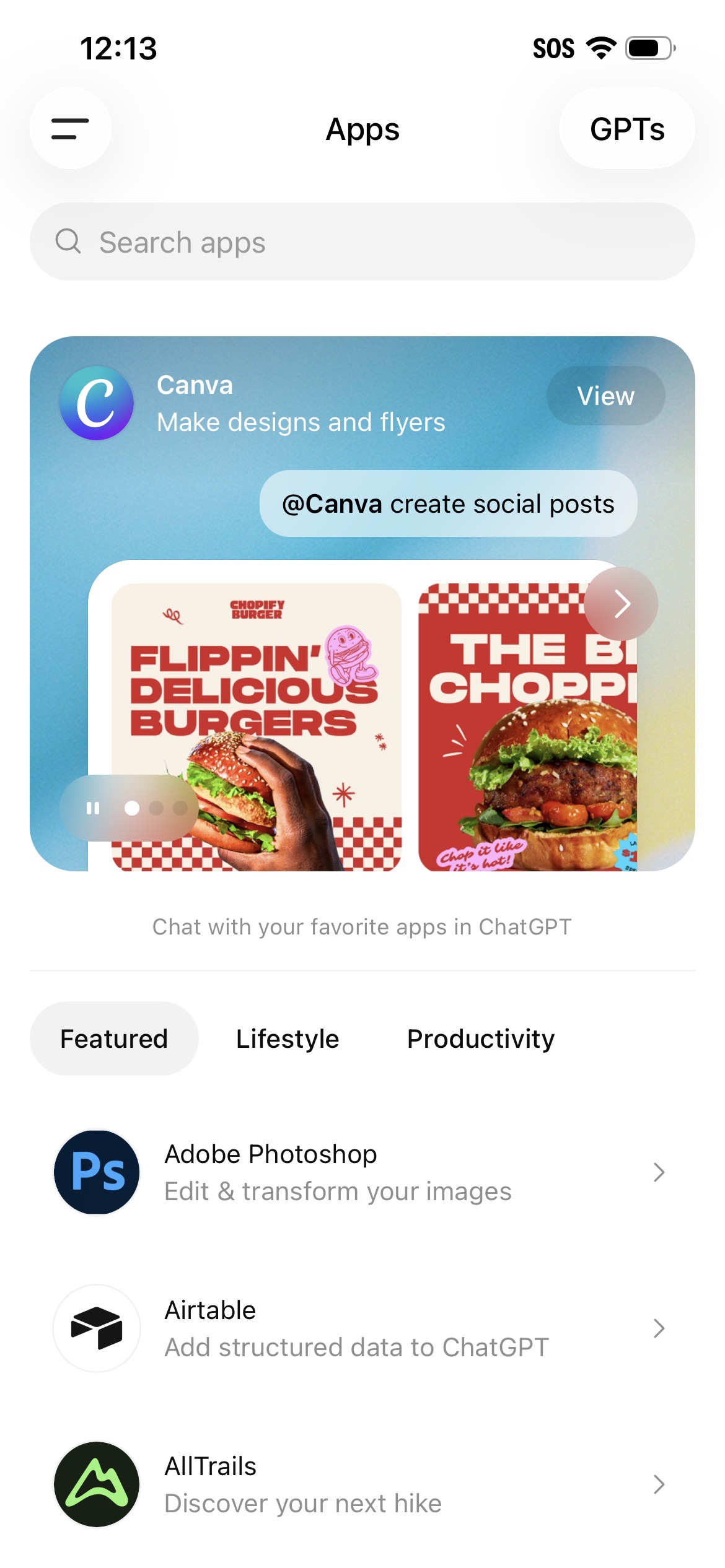
- Tap Apps. If you don't see it, tap More first — Apps is listed there.
- On the Apps page, type Steer Astro in the search bar and open it.
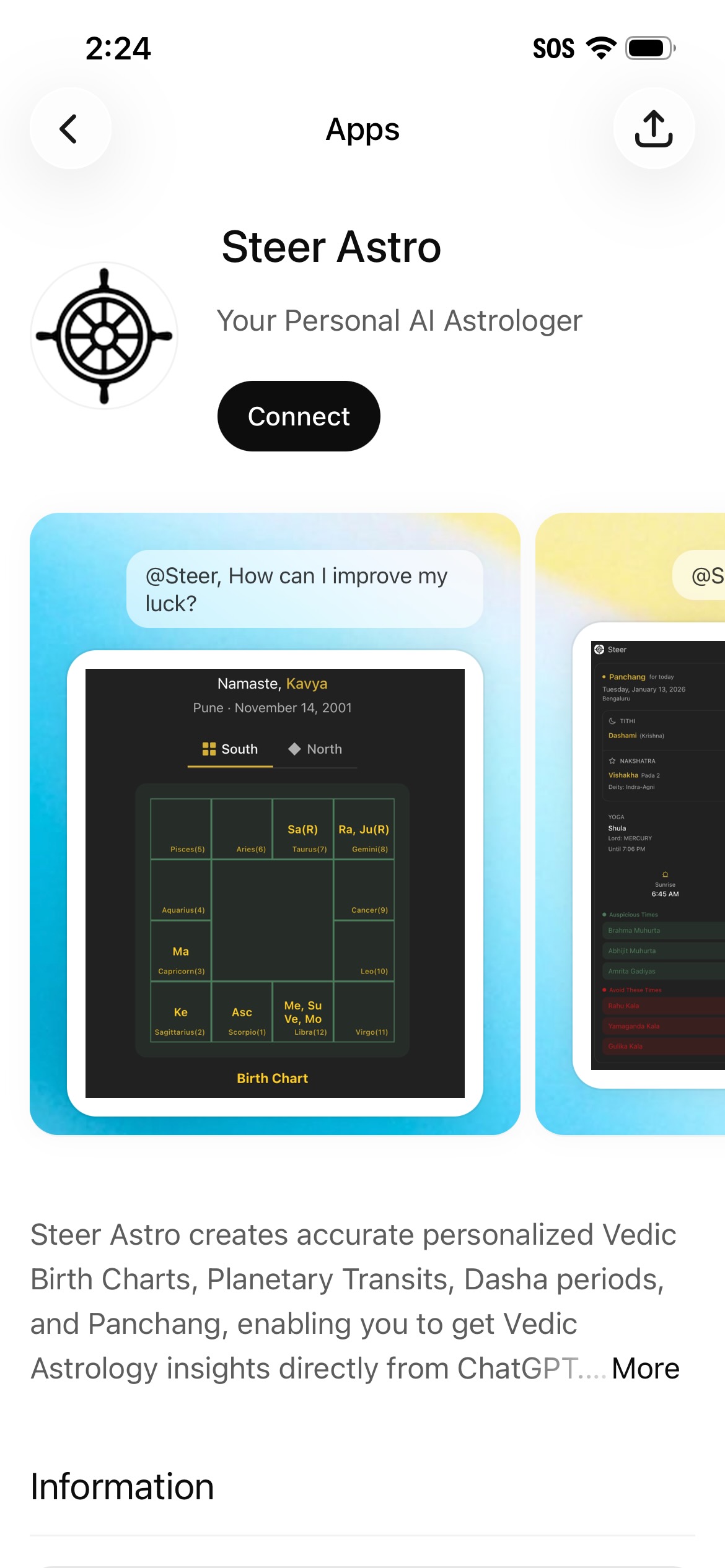
You'll see the app page with its description and preview screenshots — tap Connect.
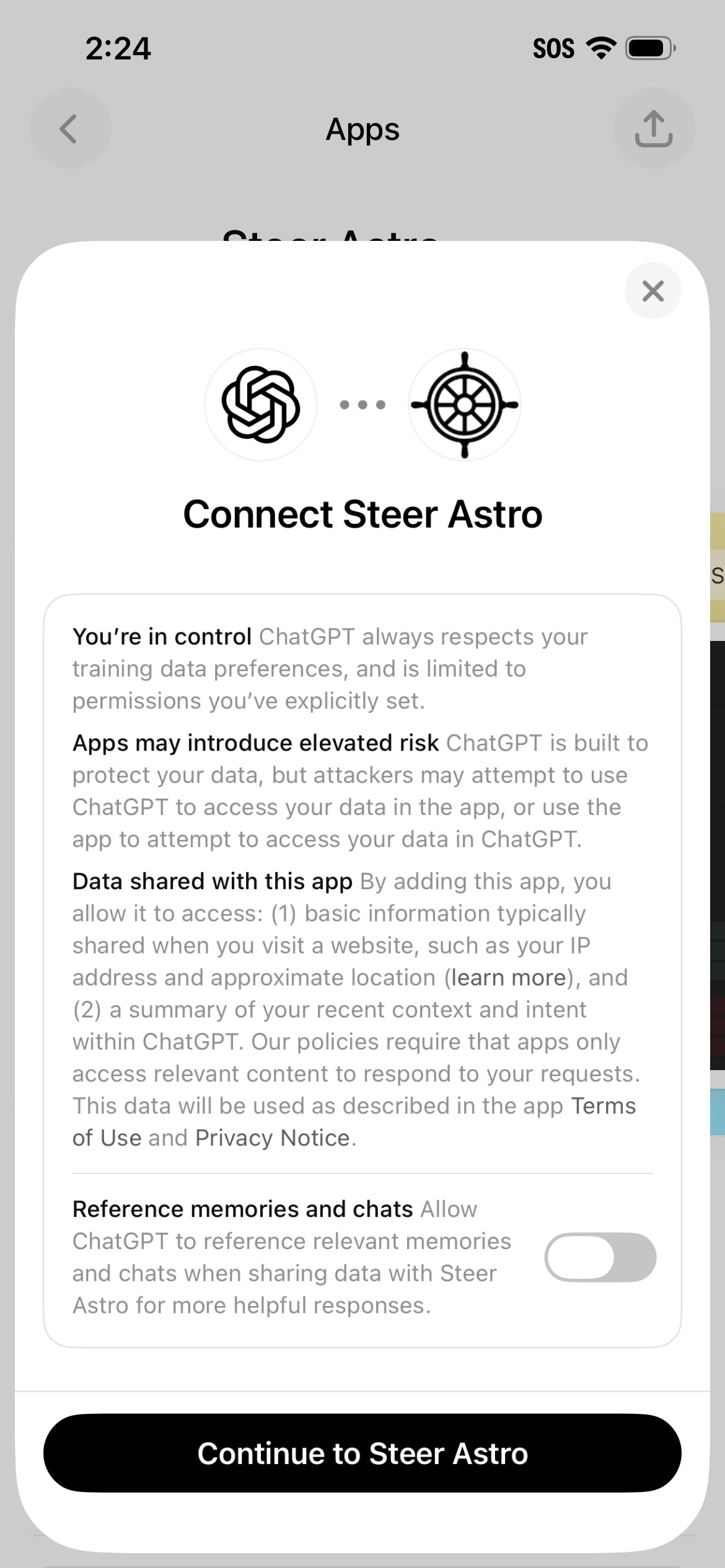
ChatGPT shows a permissions screen explaining what Steer Astro can access. Review it and tap Continue to Steer Astro. Steer only accesses what's needed to answer your astrology questions.
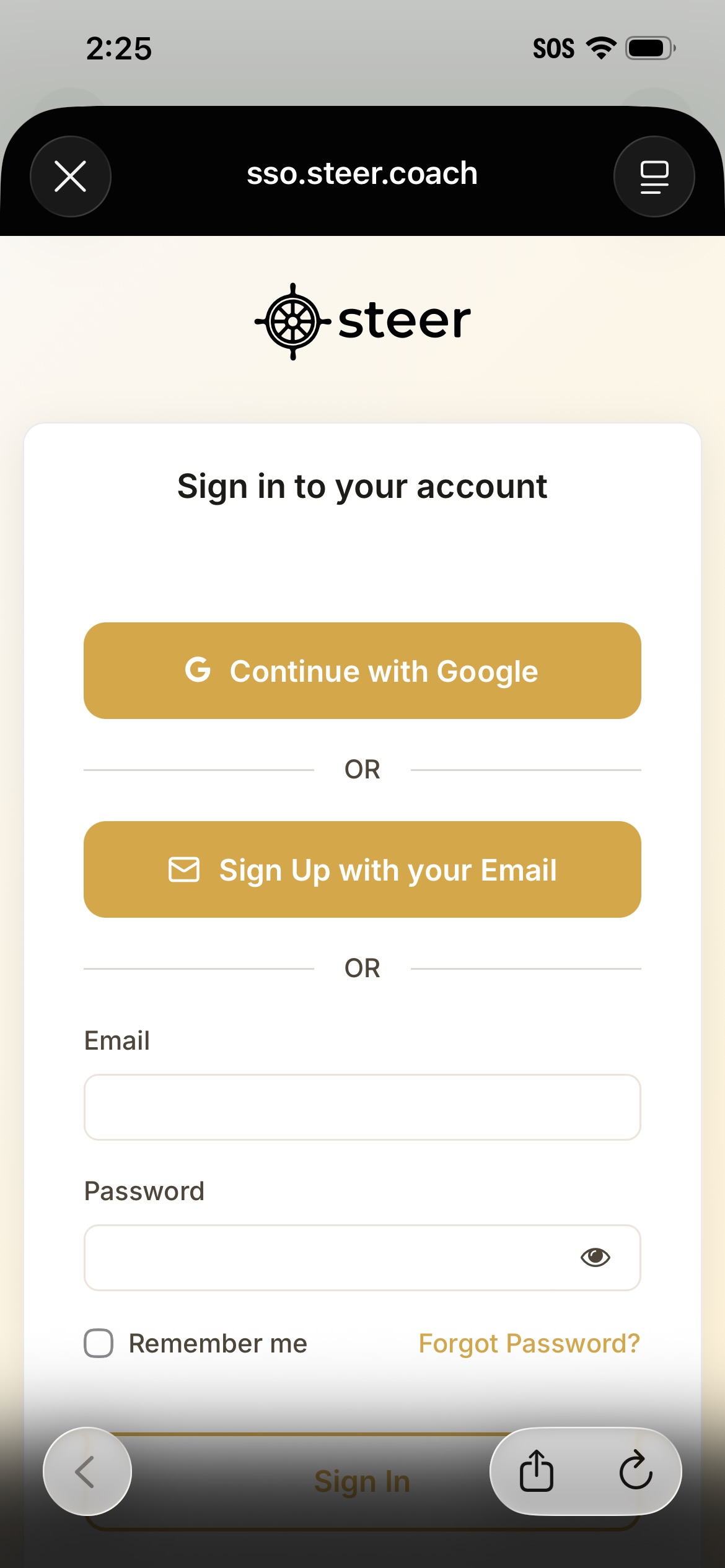
You'll reach Steer's secure sign-in page. Sign in with Google (one tap) or your email. A free account is all you need.
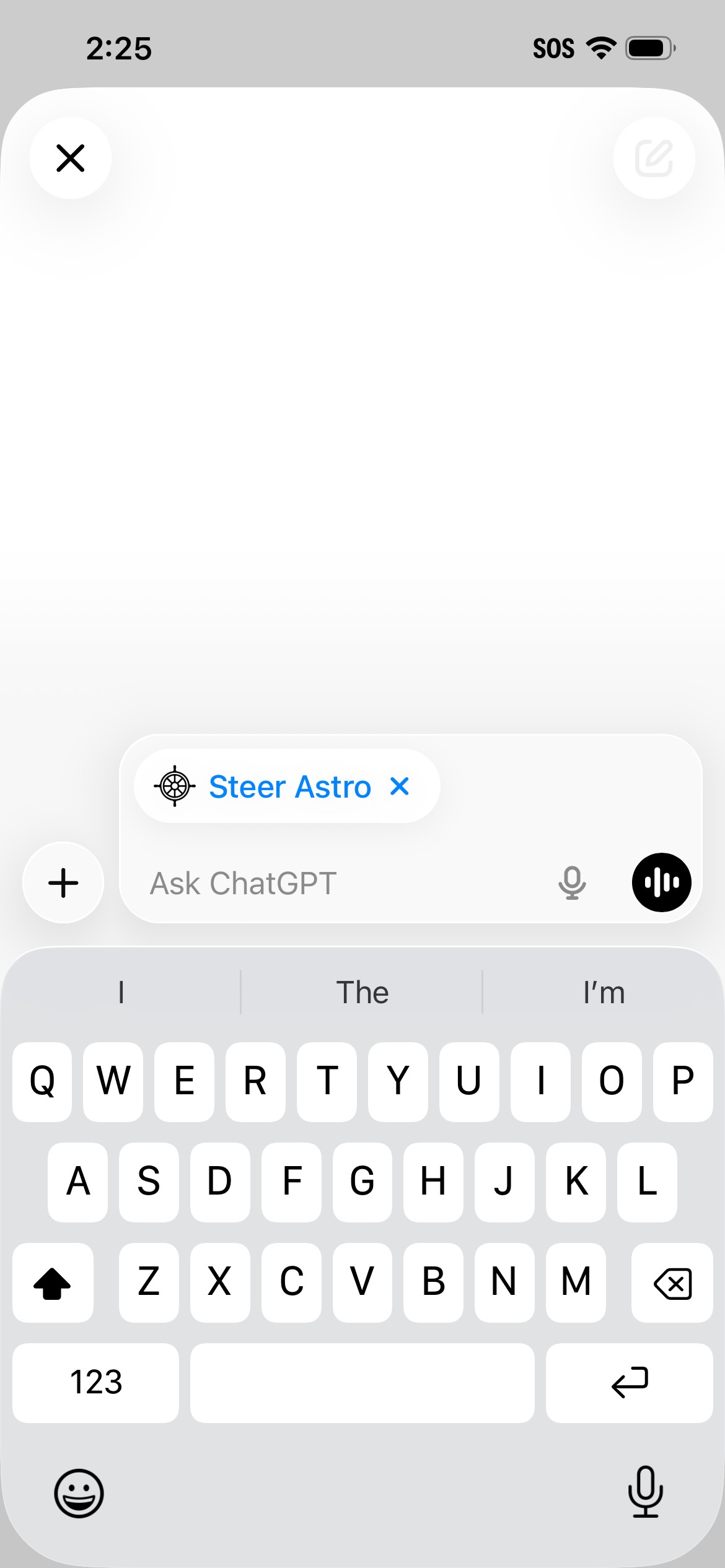
You'll see a ChatGPT conversation with the Steer Astro badge in the chat input — the app is connected and ready.
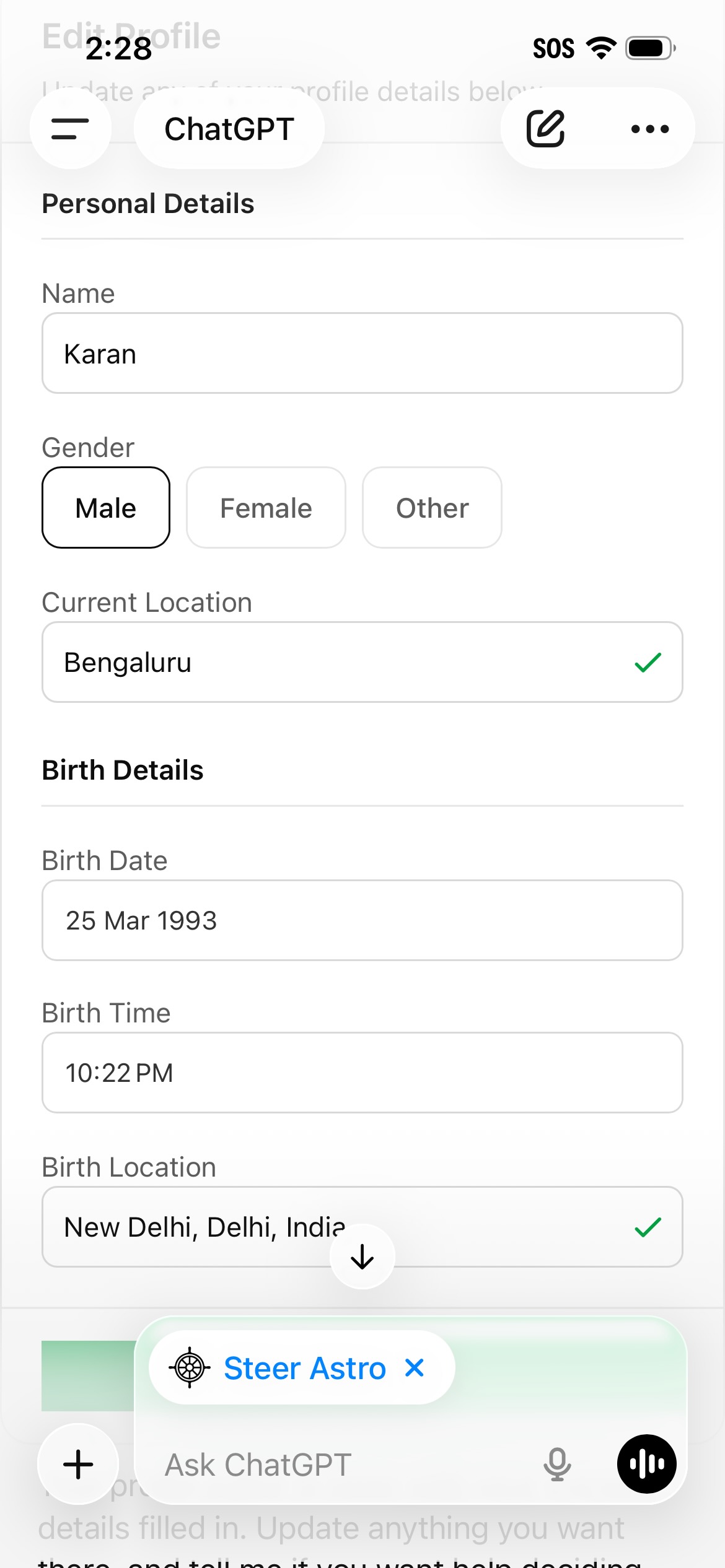
On your first question, Steer shows a short form — name, birth date, birth time, and birth place. It's stored securely, so you enter it only once; edit it anytime by asking "Help me edit my profile."
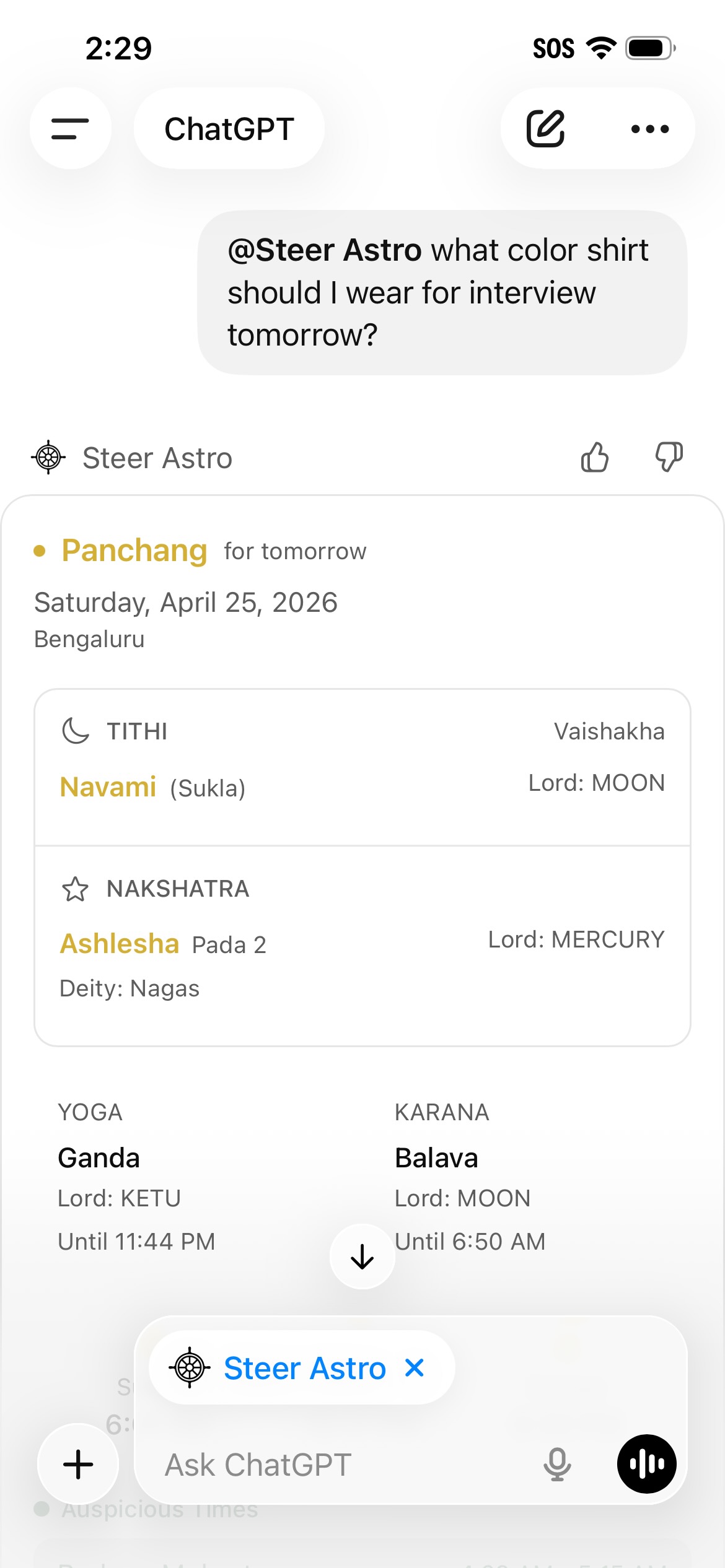
That's it. Ask in plain language — your chart, today's panchang, your current dasha, a transit — and Steer answers with real calculations. No limit on questions.
What you can ask
Chart-specific questions answered with real calculations — not estimates.
What Steer Astro adds to ChatGPT
Vedic astrology asks for precise planetary positions at the exact second of birth. Steer Astro plugs a calculation layer into ChatGPT so the answers stay grounded in real astronomy.
Swiss Ephemeris underneath
Steer Astro runs the Swiss Ephemeris astronomical library, built on NASA JPL data, inside ChatGPT. Positions are computed, not estimated.
Classical Vedic methods
Vimshottari Dasha, the Rasi (D1) and Navamsa (D9) charts, and the Panchang — including its muhurta windows such as Abhijit and Brahma Muhurta — as described in classical texts including the Brihat Parashara Hora Shastra and Phaladeepika.
Conversation stays natural
You ask the way you ask anything else in ChatGPT. ChatGPT calls Steer Astro when it needs a calculation, then interprets the result for you in plain language.
Steer Astro FAQ
How is Steer Astro different from just asking ChatGPT?
Steer Astro draws your birth chart inside ChatGPT and gives you the data behind it — your Rasi (D1) and Navamsa (D9), current dasha, today's transits, and the day's Panchang — a full read of your sky in the conversation. The positions are computed with the Swiss Ephemeris (NASA JPL data) to a fraction of an arcsecond, so the chart it reasons from is calculated, not estimated. You add it once, then ask about any of it in the same chat.
Is it really free?
Yes. Completely free, unlimited use, no subscriptions, no per-question fees, no ads, no paywalls. All Vedic calculation features are available at no cost.
Do I need a ChatGPT account?
Yes. You need a ChatGPT account (free tier works; Plus not required) to use Steer Astro since it lives inside ChatGPT.
Do my birth details stay private?
Yes. Steer does not sell data, does not share with third parties, and encrypts data in transit and at rest. See the privacy policy for details.
Which calculations are supported?
The Vedic birth chart (Kundli) as the Rasi (D1) and Navamsa (D9) charts, current Vimshottari Dasha (all sub-periods through Sookshma), daily Panchang (tithi, nakshatra, yoga, karana), Rahu Kaal, Yamaganda, Gulika, Abhijit Muhurta, Brahma Muhurta, and today's planetary transits mapped to your natal houses.
What's the difference between Steer Astro and the Steer mobile app?
Both share the same calculation engine, and both save your birth chart so you set up your details only once. Steer Astro inside ChatGPT answers on demand — you ask, it calculates and replies, with your saved Rasi (D1) and Navamsa (D9) charts, current dasha, today's transits, and daily Panchang all on hand. The Steer mobile app (coming soon, currently waitlist) goes deeper: all 28 divisional charts, Ashtakavarga, your full past and future dasha timeline, granular transit tracking, and multiple profiles you can analyze together to understand relationships — plus proactive daily guidance, notifications, and an AI that learns your life over time and looks ahead with you.
Try Steer Astro now
Free, unlimited, no signup beyond your existing ChatGPT account.
Open Steer Astro in ChatGPTKeep exploring
The Steer mobile app
Your personal AI coach and astrologer — daily guidance with persistent memory. iOS and Android, currently in pre-launch waitlist.
Free birth chart
Start with your Kundli. Houses, planets, nakshatras computed to a fraction of an arcsecond.
The Steer blog
Vedic astrology explainers grounded in classical Sanskrit texts. Written in plain English, updated regularly.